Naar de inhoud
Productupdates

Nieuw in PetsApp

Alles wat nieuw en verbeterd is in PetsApp, het nieuwste eerst. Elke update komt automatisch in je praktijk terecht: je hoeft niets te installeren.

  1. SMS in CRM, new audience filters, and a stronger campaign sender

    Add SMS next to push and email in CRM, see costs before you send, and use new audience filters for who’s on PetsApp or not yet—with sends that respect preferences and a campaign sender improved for longer runs.
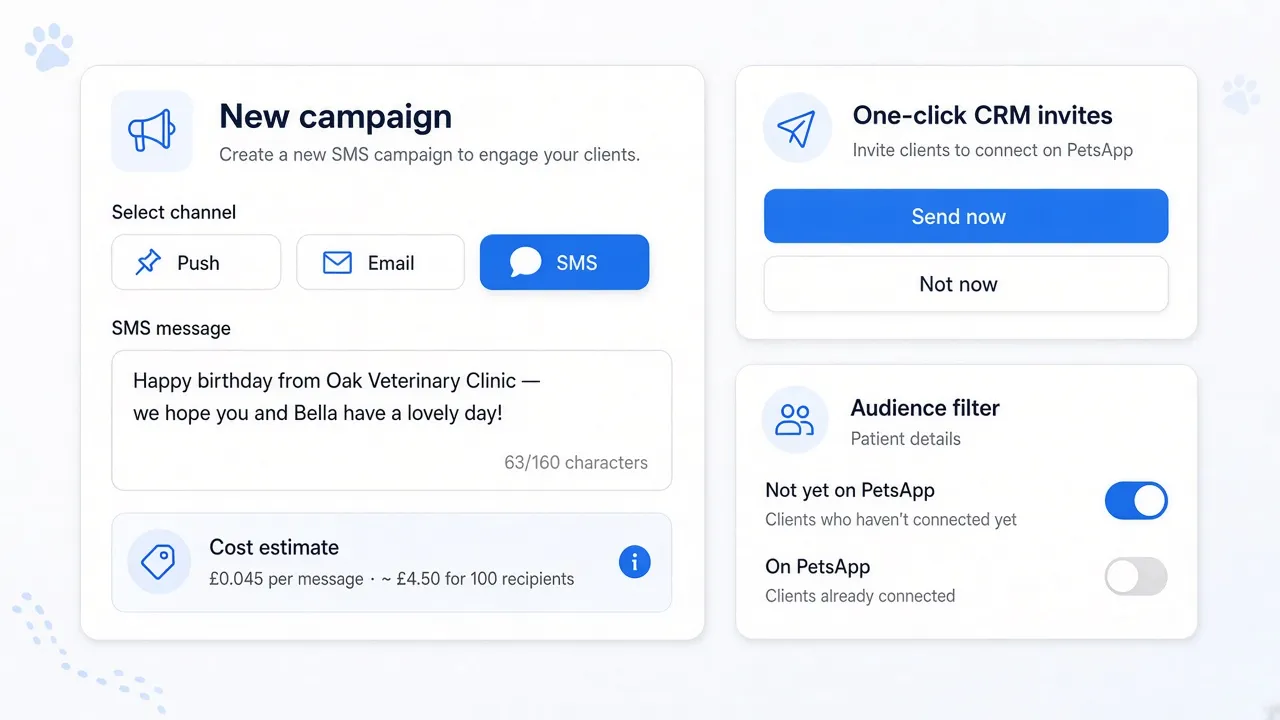
    CRM campaign with Push, Email, and SMS selected, SMS message and cost estimate; audience filters for Not yet on PetsApp and On PetsApp, with subtle paw-print decoration.

    Campaigns already reach pet owners in the app, by email, and with push. You can now add SMS from the same composer, with a clear message box and an estimated cost before anything goes out—so short, timely texts sit alongside your other channels without guesswork.

    We’ve made significant improvements to the campaign sender so it supports longer‑running campaigns more reliably. Every delivery still respects each owner’s communication preferences, including marketing.

    Audience filters now include On PetsApp and Not yet on PetsApp under patient details—so you can target (or exclude) people who still need an invite.

  2. Track online bookings in Google Analytics

    See which ads and visits lead to a booking. A completed booking on your website can now count as a conversion in Google Analytics 4 and Google Ads.

    The booking widget runs inside a secure frame on your website, and browsers stop your own tracking tags from seeing inside it. Until now, a completed booking never reached Google Analytics or Google Ads, so you couldn’t tell which campaign had brought the client in.

    If you use Google Tag Manager, that booking can now count as a conversion, attributed to the visit that led to it. The widget tells your page when a booking is completed, and a small PetsApp script passes the event to Google Tag Manager. Your existing Google Analytics 4 and Google Ads tags fire from there, the same way they do for any other event on your site.

    • Count a booking as a conversion in Google Analytics 4 and Google Ads.
    • Attribute it to the campaign or visit that brought the client to your site.
    • Set it up in Google Tag Manager. Follow the setup guide to add the PetsApp script and send the event to the tags you already use.

    This works with the booking widget on your website.

  3. Automatic chat tagging

    Every client conversation is now tagged by what it’s about, so your team can see what’s waiting and work through one kind of request at a time.

    Automatic chat tagging0:54

    PetsApp now reads each client message as it arrives and tags it: appointments, prescriptions, billing or insurance. When one message asks for two things, like moving a booster and picking up ear drops, it gets both tags.

    • Filter by tag to deal with one kind of request at a time.
    • See the counts for each tag to plan your team’s time around what clients really ask for.
    • Stay in control: add or remove a tag in a click. A tag your team removes isn’t added back.

    Tagging is on for every practice using 2-way chat. See how it works on the 2-way chat page.

Klaar om je dierenartsenpraktijk te transformeren?

Plan een persoonlijk gesprek en we laten je zien hoe PetsApp past in een gewone dag in jouw praktijk.

Plan een demo